Residence Life and Housing's Website and RSP (Room Selection Process) are being updated. Changes Coming Soon.
Room Selection Process:
Description:
The Room Selection Process (RSP) allows current students to choose their on‑campus housing during the spring semester for the upcoming academic year through an online lottery system. To participate, students must complete the Housing Application and Roommate Preference Form, after which lottery numbers are assigned based on completed cumulative academic credits. RSP occurs in two phases: Phase 1 is designed for full groups to select units that match their group size, while Phase 2 allows students who did not participate in Phase 1 to choose spaces without being required to fill the entire unit. Selection times open based on lottery order and remain available through the end of each phase, giving students flexibility to select housing that best fits their needs. Students who miss RSP or do not complete required steps by the deadlines may participate later through the Late Selection process, where remaining spaces are available without lottery numbers.
Housing Application & Roommate Preference Form (Current Students):
Completing a Housing Application Steps:
Log in to the Resident Portal.
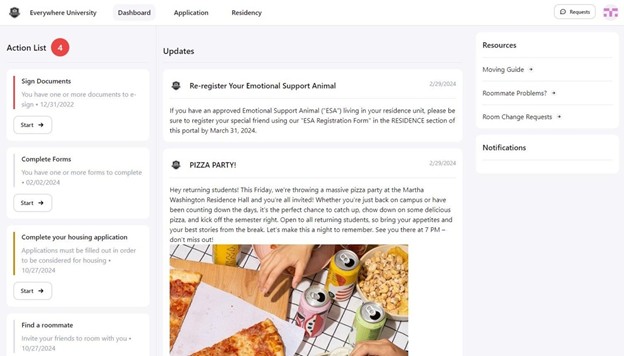
Click Application in the navigation bar.
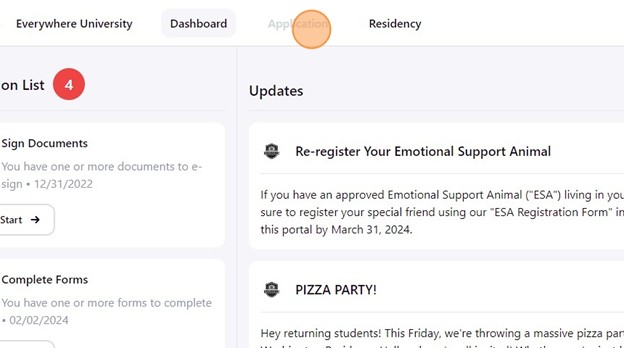
The application page gives you access to start, manage, and review current or past applications that are relevant to you.
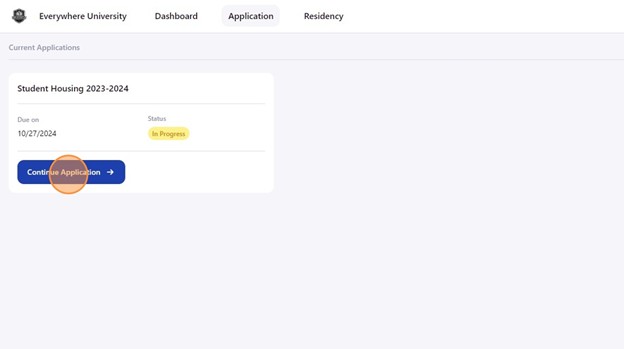
Your available, in-progress, and past applications will be listed. Click Create Application or Continue Application, depending on the status of your application.
Complete Profile Confirmation:
Before starting your housing application, you must review and confirm your profile information. The profile confirmation page ensures your demographic details, contact information, and avatar are accurate before proceeding.
Complete Your Application:
After completing your profile, you will be taken to your application.
Complete each section of the application by answering all required questions. Click the Continue button at the bottom of each page as you complete it to save your work as you proceed.

Complete Your Roommate Preference Form:
The Roommate Preference Form will appear after the Housing Application. Your answers help match you with compatible roommates. Some questions may be required based on your institution’s process.
Set your questionnaire visibility at the top of the page:
Public: Other students can view your responses during the roommate selection period.
Private: Only administrators can see your answers.
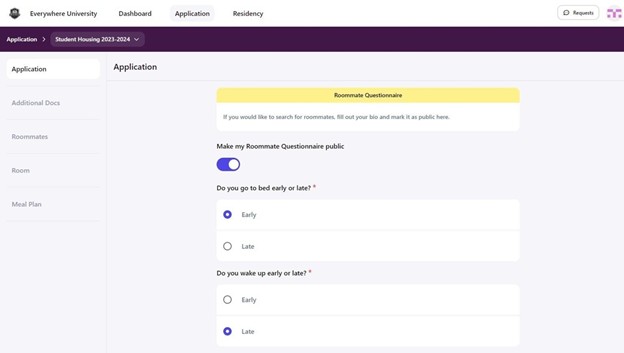
Note: Once you submit your housing application, you cannot change the visibility of your questionnaire until your housing department begins the roommate selection process. From there, you can change it to either public or private.
Submit Your Application:
Click Complete once you’ve finished all sections of the application and biography.
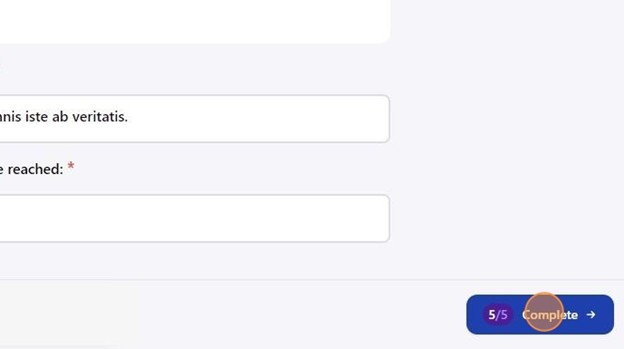
A confirmation window will appear; click Confirm to finalize your submission.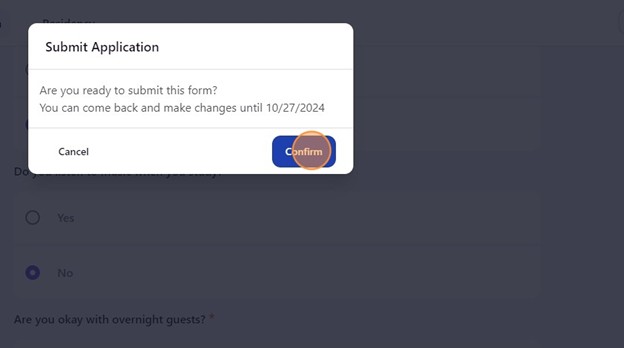
Track or Edit Your Application:
Return to the Apps + Forms page to check your submission status. If the application period is still open, click Make Changes to update your responses.
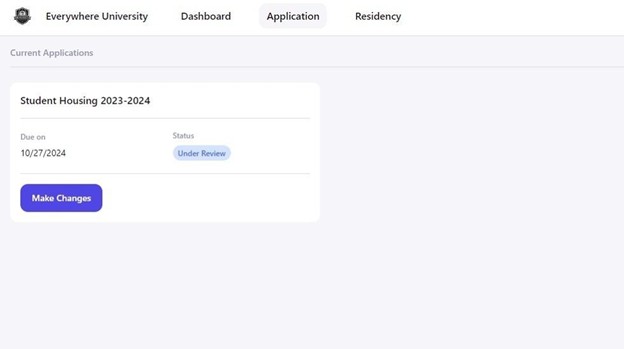
Once the deadline passes or your application has been reviewed, editing will no longer be available. Click Manage to review your submitted responses.
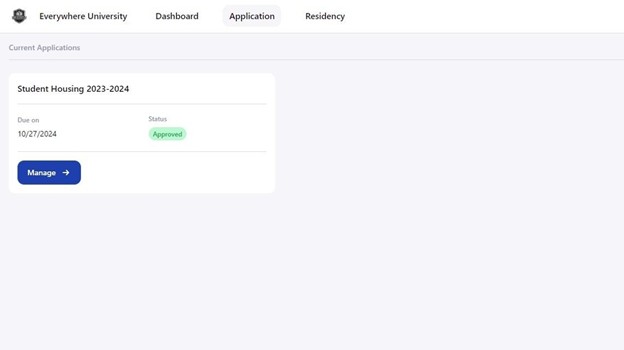
Note: Additional steps may need to be completed once your application has been submitted. Be sure to review your housing selection process for more information.
Roommate Groups Info:
Find/Contact a Potential Roommate:
Students can use the resident portal to browse potential roommates, manage roommate questionnaire privacy settings, and connect with others. The roommate questionnaire, completed during the housing application process, helps describe personal preferences and lifestyle habits. You can control whether your answers are visible to other students searching for roommates or only to housing staff.
Note: This feature is new as of the Fall 2026 RSP.
If you already have a roommate group formed, you can skip to the Form a Roommate Group Section.
Browse Roommate Profiles:
Log in to your Housing Portal through myRedDragon.
Click Application on the navigation bar.
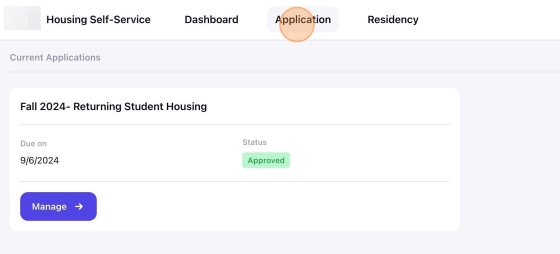
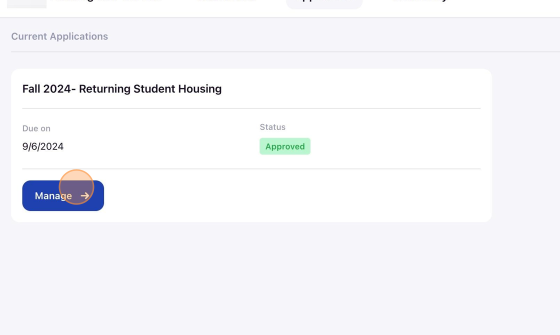
Select Manage on the application you want to update.
Click the Roommates menu item.
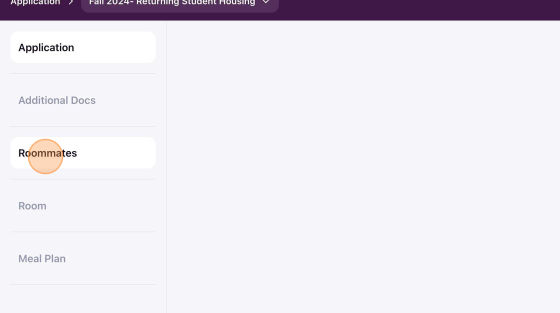
Note: Roommate searching is only available during the roommate selection period.
Adjust Questionnaire Privacy:
To view potential roommates, ensure your roommate questionnaire is set to public. If it remains private, other students will not be able to find or contact you, and you won’t be able to search for roommates either.
If your profile is set to private, click Make My Bio Public to allow other students to view your profile and contact you.
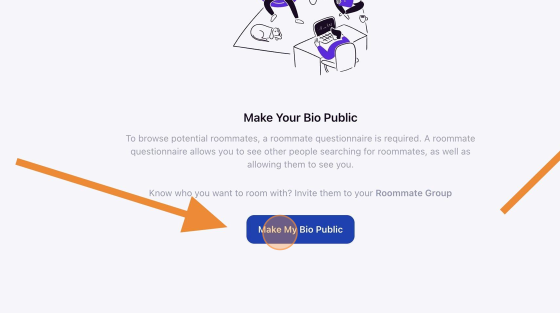
View and Filter Potential Roommates:
Once your profile is public, a list of potential roommates will appear based on your institution’s eligibility rules. For example, if roommate assignments are restricted to students in the same class year, you will only see students who meet that requirement.
Click any student name or profile picture to access their profile details.
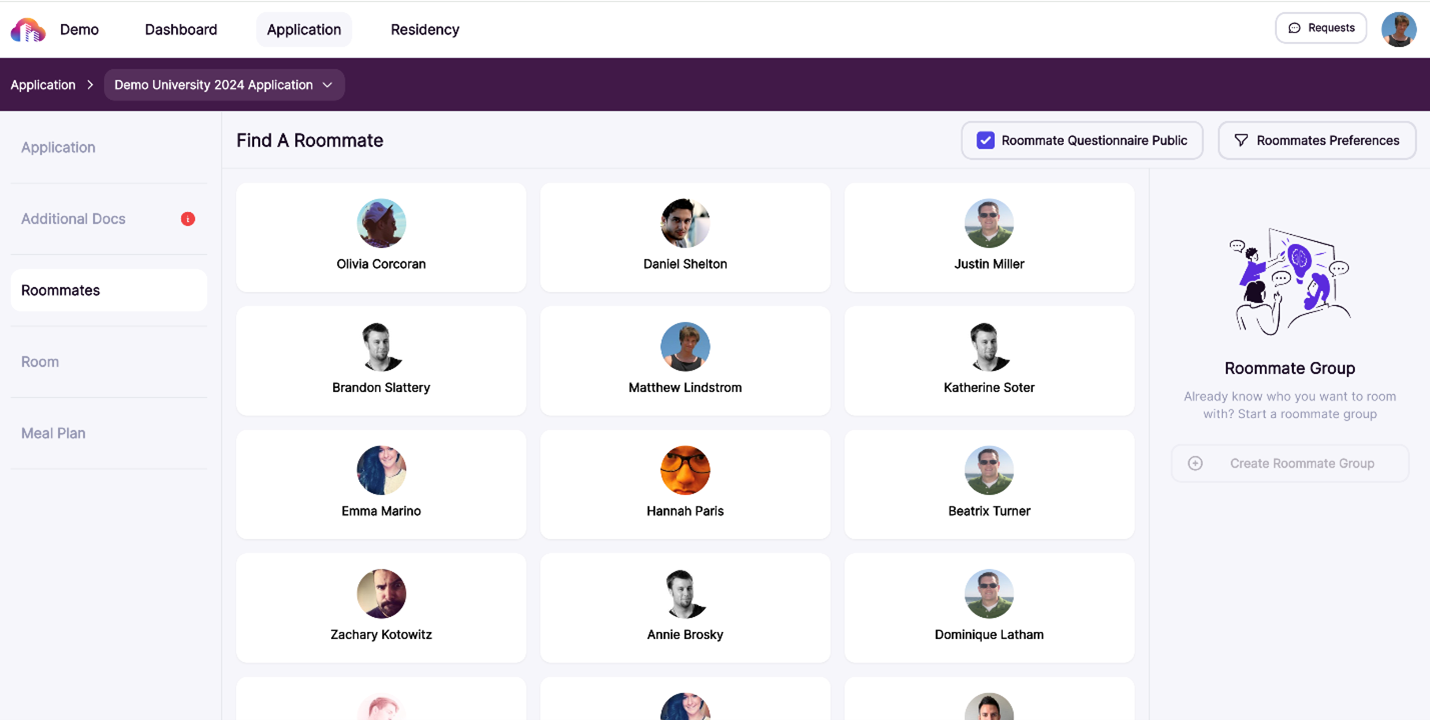
Note: Click Roommate Preferences in the upper right to filter the roommate list based on specific criteria, such as “show me only students open to overnight guests”
Contact Potential Roommates:
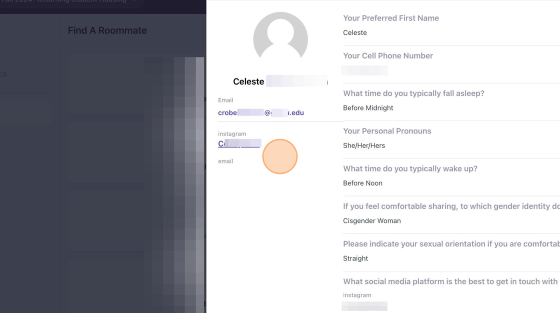
The profile details will display the student’s bio and available contact methods.
Direct messaging is not available within the system. You will need to reach out using the provided contact method, such as their SUNY Cortland Email.
Form a Roommate Group:
If you’ve found a potential roommate(s) and both of you agree to live together, the next step is to create a roommate group. This allows you to formalize your selection before the room assignment process.
If you already know who you want to room with, you can create a roommate group and invite others to join. Roommate groups allow students to select their living arrangements together during the room selection process.
Access Roommate Options:
Log in to your Housing Portal through myRedDragon.
Navigate to Applications from the navigation bar.
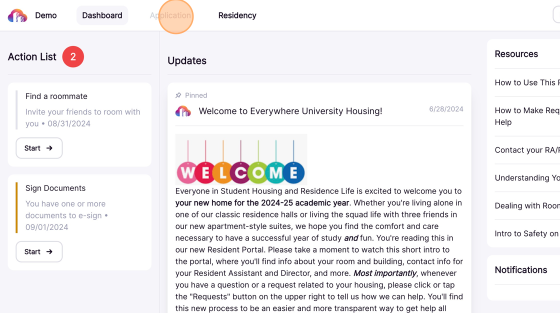
Select the application for which you’d like to create a roommate group.
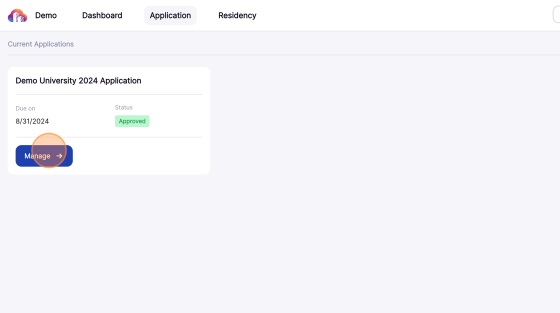
Click Roommates to access the roommate group settings.
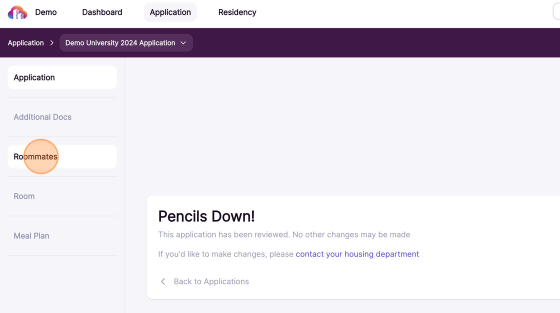
Note: Roommate selection is only available during the roommate selection period.
Create a Roommate Group:
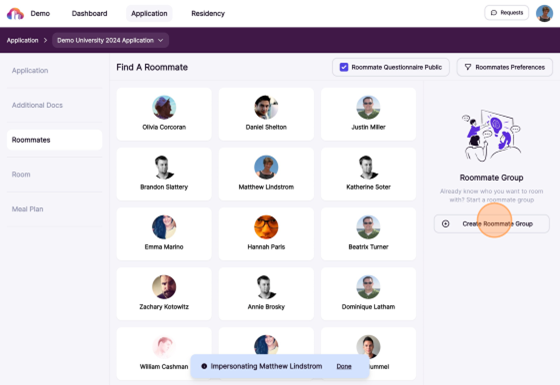
Click Create Roommate Group to form the group.
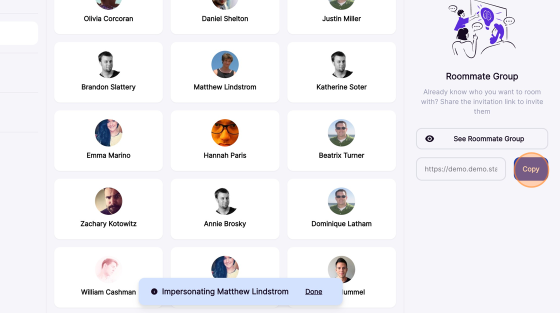
Click Copy to generate and copy a unique invitation URL.
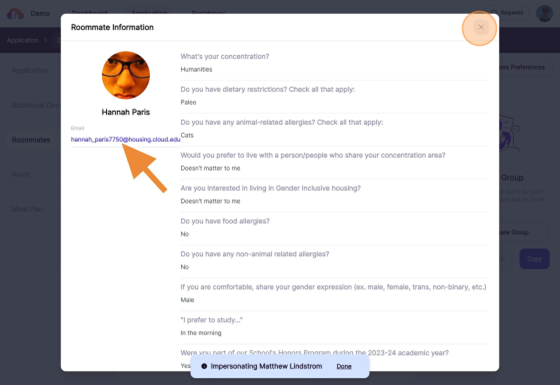
If you do not already have a contact method for your roommate(s). Click a profile card to view available contact methods.
Manage Your Roommate Group:
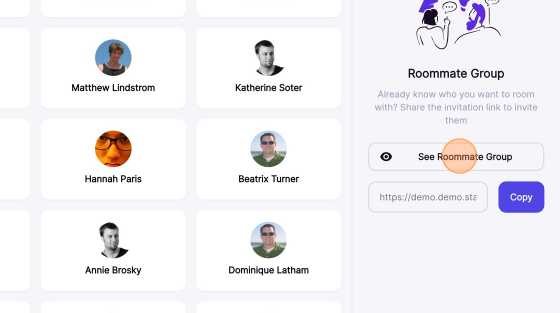
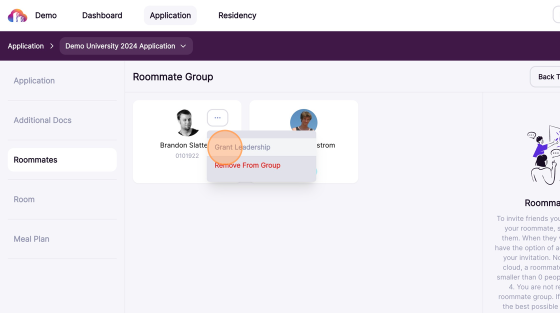
As roommates accept the invitation, they will appear on the Roommate Group Overview page. The group leader has access to specific management options, including assigning a new group leader or removing a member from the group.
Click See Roommate Group to manage group members.
Click the three-dot button next to a group member to either make them the group leader or remove them from the group.
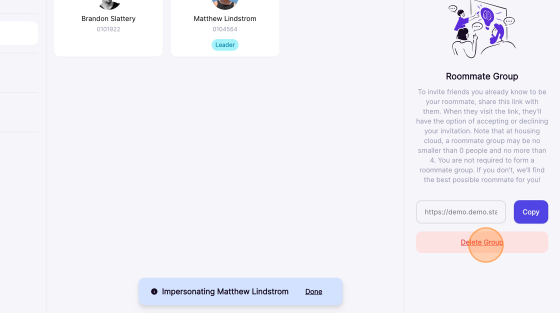
Click Delete Group to dissolve your group. Deleting the group will return all members to individual status.
How the Room Selection Process (RSP) Works:
Step 1: Access the Housing Portal and Complete Required Forms:
All current students must log in to the Housing Portal through myRedDragon to participate in RSP. Students are required to complete both the Housing Application and the Roommate Preference Form by the published deadline. These forms are required for all students, whether selecting housing alone or as part of a group. Students requesting Medical or ADA accommodations or Gender Inclusive Housing must submit their applications by the earlier deadline, and these requests are reviewed and placement made prior to the start of Phase 1.
Step 2: Lottery Numbers and Selection Windows:
RSP operates on a lottery system based on completed cumulative academic credits earned prior to the current semester. Students with more credits receive earlier selection times. Lottery numbers are sent to students in advance of each phase. Once a student’s selection window opens, they may select housing at any point until the end of that phase, as long as spaces are available.
Phase 1: Full Group Selection:
Phase 1 is designed for students who are selecting housing as a full group that can completely fill a unit. During this phase, students can only view and select rooms that match their group size. Group size determines which room types are visible, such as doubles for groups of two or suites and apartments for larger groups. Students selecting alone will only see corridor style standard single rooms during Phase 1. Single rooms within suites or apartments will only appear if the student is part of a group that can fill the entire unit. If no rooms are available for a group’s size, the group leader may adjust the group size or dissolve the group to continue participating.
Phase 2: General Room Selection:
Phase 2 is available to students who did not select housing during Phase 1. This phase allows for greater flexibility, as students are no longer required to fill a room, suite, or apartment. During this phase, students may select individual spaces within any remaining available units. Other students may later select the remaining open space. Only students who remain unassigned after Phase 1 receive a Phase 2 lottery number.
Phase 3: Late Room Selection:
Late Room Selection is intended for students who did not participate in RSP or missed required deadlines. During this phase, students select from remaining available spaces without the use of lottery numbers. Housing options are limited to what remains after Phase 2. Late Selection continues through the summer until the process concludes.
Choosing a Room:
You can choose your housing assignment during RSP during one of the phases mentioned above.
Eligibility for Room Selection:
Make sure all of the bullets below are completed in order to select a room.
- Room selection phase is open
- Application approval
- All required forms are completed
- Roommate group considerations
- If you are part of a roommate group, only the group leader can select a room for the entire group.
Access Room Selection:
Log in to the resident portal and navigate to Applications.

Locate the appropriate housing application and click Manage.
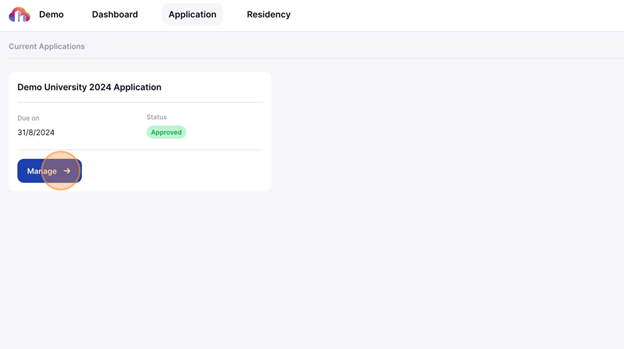
Click Room in the navigation panel to access room selection options.

View Available Rooms:
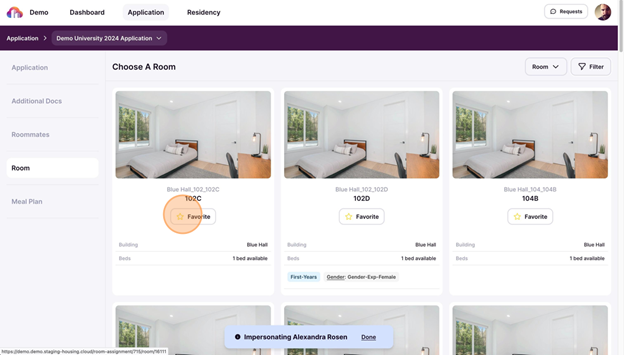
Each room card provides key information to help guide your selection. Along with the room number and building name, you’ll see details such as the number of available beds and any special designations. If you want to revisit a room later, use the star icon to mark it as a favorite.

Filter Rooms:
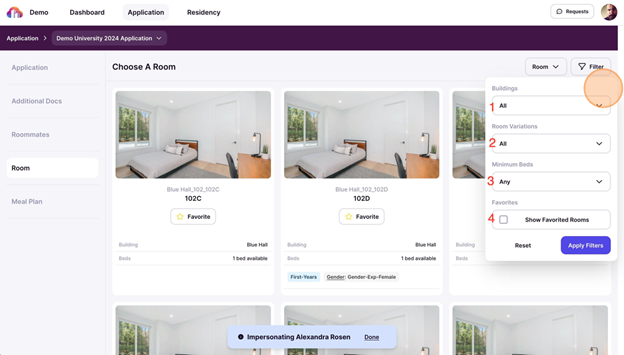
Rooms can be filtered based on various features to help narrow your selection. Options include building location, room type, occupancy size, and special designations.
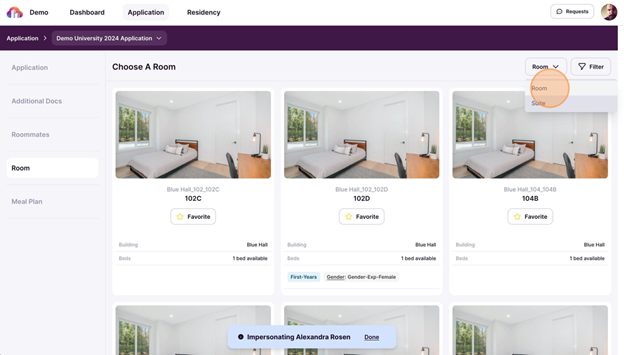
Filter by room or suite to adjust the display of available housing options. Suites contain multiple rooms, making it easier for roommate groups to view and select spaces that accommodate their entire group.
Click Filter based on the characteristics of a housing option. Check the Show Favorited Rooms to show your favorite rooms.
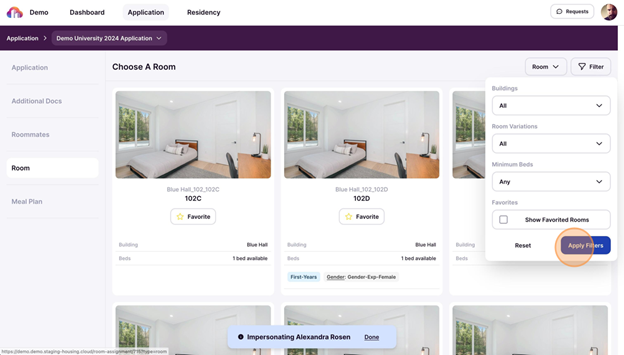
Click Apply Filters to update results or Reset to clear selections.
Select a Room:
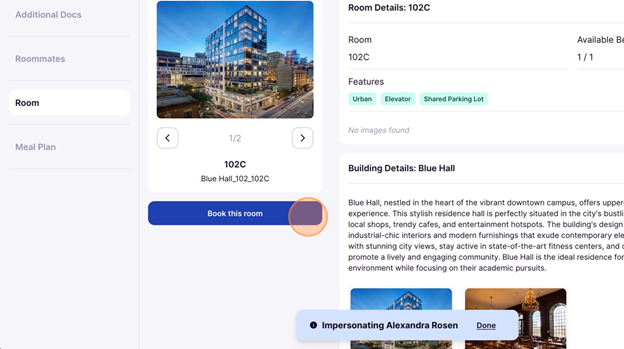
Click on a room card to view room details.
Click Book this Room to proceed with your chosen option.
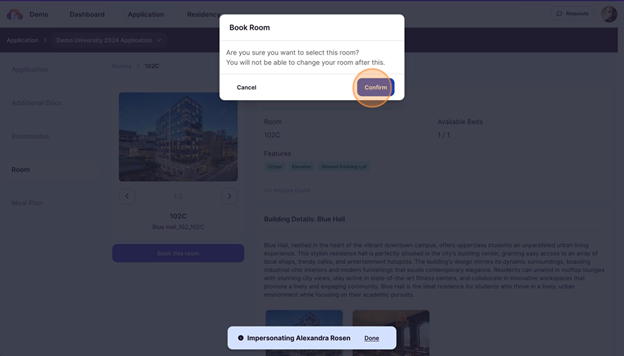
Click Confirm to finalize your selection.
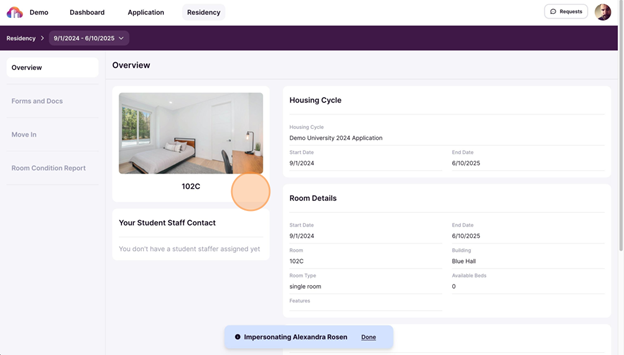
After confirming your selection, your room assignment appears in your profile under Residency.
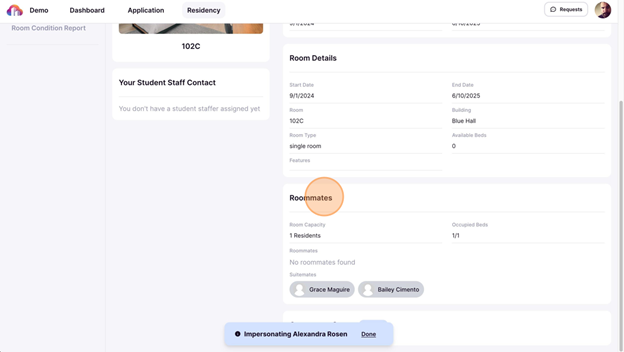
You can view details about roommates assigned to the same room.
Troubleshoot Selection Issues:
Room selections are final unless Residence Life and Housing opens re-selection. If you need to change your room after selecting, you may have need to reach out to [email protected].
Rooms are first-come, first-served. If another student selects the room before you confirm, you’ll receive a notification that it is no longer available.
Eligibility rules may apply. Some rooms may be restricted based on specific requirements. If you are not able to see or select a room, you have not met the rules required to live in that space.
If you have an issue with selection that isn’t addressed by these troubleshooting issues, please contact the Residence Life and Housing Office.
FAQ:
What is the Room Selection Process (RSP)?
The Room Selection Process (RSP) is the process that allows current students to choose their on-campus housing for the upcoming academic year through an online lottery system. Students complete required forms, receive a lottery number based on completed cumulative academic credits, and select housing during designated selection phases.
What do I need to do to participate in RSP?
To participate in RSP, you must complete both the Housing Application and the Roommate Preference Form in the Housing Portal through myRedDragon by the application deadline. These steps are required whether you plan to live alone or with roommates.
What happens if I miss the Housing Application deadline?
Students who miss the application deadline are not eligible to participate in Phases 1 or Phase 2 of RSP. Instead, they may participate in Phase 3, Late Room Selection, where remaining spaces are available without lottery numbers.
How are lottery numbers assigned?
Lottery numbers are assigned based on completed cumulative academic credits earned prior to the current semester. Students with more credits receive earlier selection times. Lottery numbers are emailed to students before each selection phase.
When can I select a room once my selection time opens?
Once your selection time opens, you may select a room at any point until the end of that phase, as long as spaces are still available. You do not need to select immediately when your time opens.
What is Phase 1 of RSP?
Phase 1 is the Full Group Selection phase and is designed for students selecting housing as a complete roommate group that can fully fill a unit. All students who completed required forms receive a Phase 1 lottery number.
What rooms can I see during Phase 1?
Room visibility during Phase 1 is based on roommate group size. Groups only see rooms that match their size. Students selecting alone will only see corridor style standard single rooms. Single rooms within suites or apartments only appear if the student is part of a group that can fill the entire unit.
Why can’t I see any rooms during Phase 1?
If you cannot see any rooms, it means there are no remaining units that match your current roommate group size. The group leader may adjust the group size or break the group into smaller groups to view different room options.
Can I select an apartment or suite as an individual during Phase 1?
No. Individual students cannot select single rooms within suites or apartments during Phase 1.
What is Phase 2 of RSP?
Phase 2 is the General Room Selection phase and is available only to students who did not select housing during Phase 1. This phase offers greater flexibility in room selection.
How is Phase 2 different from Phase 1?
During Phase 2, students are no longer required to fully fill a room, suite, or apartment. Students may select individual spaces in any remaining units, and other students may later select the open spaces.
Will I receive a new lottery number for Phase 2?
Yes. Only students who remain unassigned after Phase 1 receive a Phase 2 lottery number, which is sent before Phase 2 begins.
What is Late Room Selection?
Late Room Selection is Phase 3 of RSP and is intended for students who did not participate in RSP or missed required deadlines. Housing options are limited to what remains after Phase 2.
How does Late Room Selection work?
During Late Room Selection, students choose from remaining available spaces. Lottery numbers are not used during this phase.
When does Late Room Selection end?
Late Room Selection continues through the summer until the process concludes or available spaces are filled.
I am a new incoming student (freshman/transfer). Can I participate in the Room Selection Process (RSP)?
No. The Room Selection Process (RSP) is only for current students. Incoming students do not participate in RSP. New students are still required to complete the Housing Application and Roommate Preference Form, but housing assignments for new students are made by Residence Life and Housing over the summer based on availability, preferences, and eligibility.
I am a current student and want to live with a new incoming student (freshman/transfer). What do I need to do?
If a current student wants to live with a new incoming student, they cannot participate in the Room Selection Process. Instead, the current student(s) must form a roommate group with the incoming student and complete the Housing Waitlist Form located under Resources in the Housing Portal. The incoming student’s name must be listed on the form. Current students who choose this option will be assigned housing together with the incoming student over the summer and will not be able to select their housing during RSP.
Who should I contact if I have questions or issues during RSP?
If you experience issues that are not addressed through RSP instructions or FAQs, you should contact the Residence Life and Housing Office for assistance.