1. Sign in to your (the student’s) myRedDragon account. For assistance with signing in, select one of the help links. 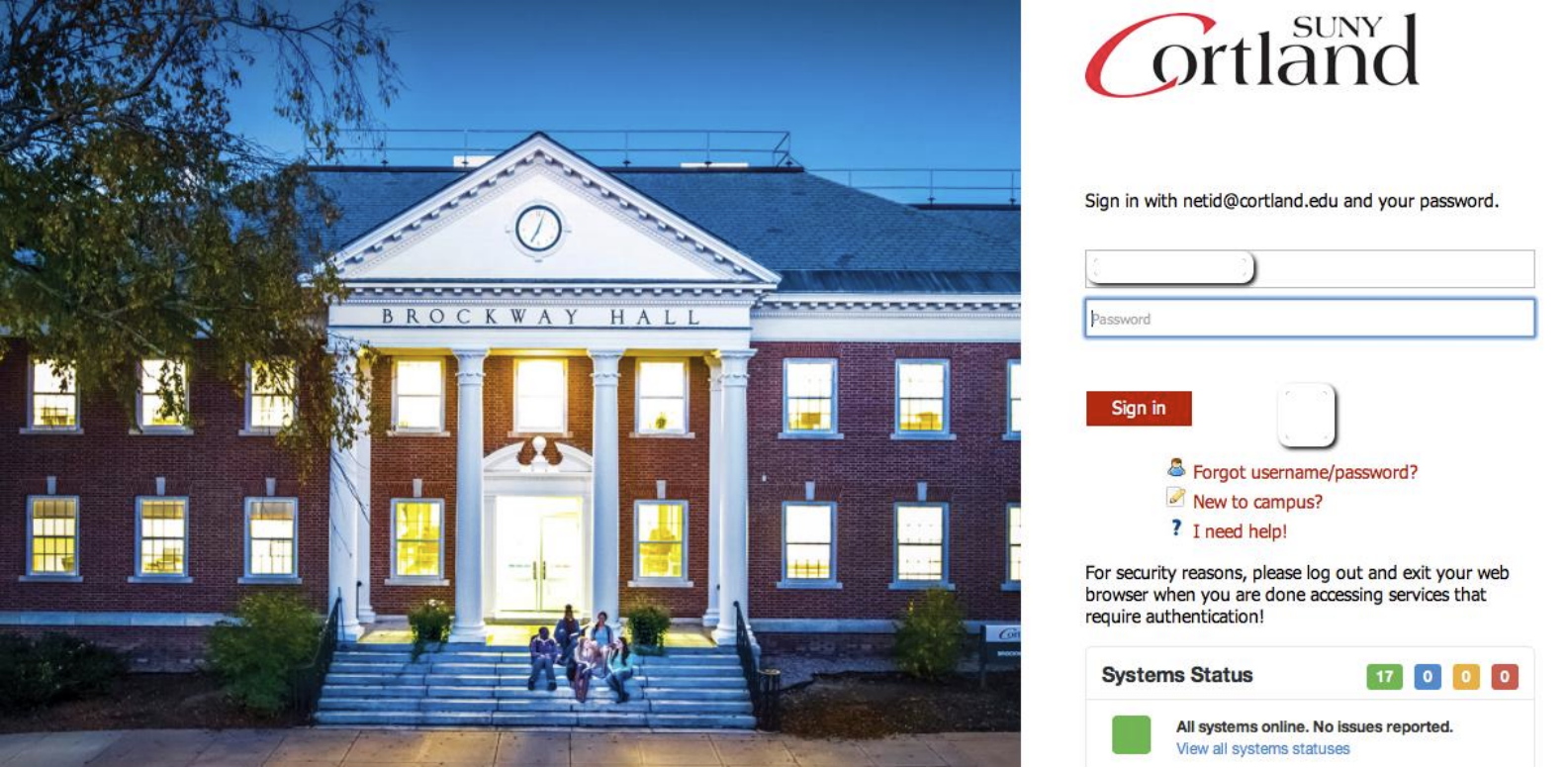
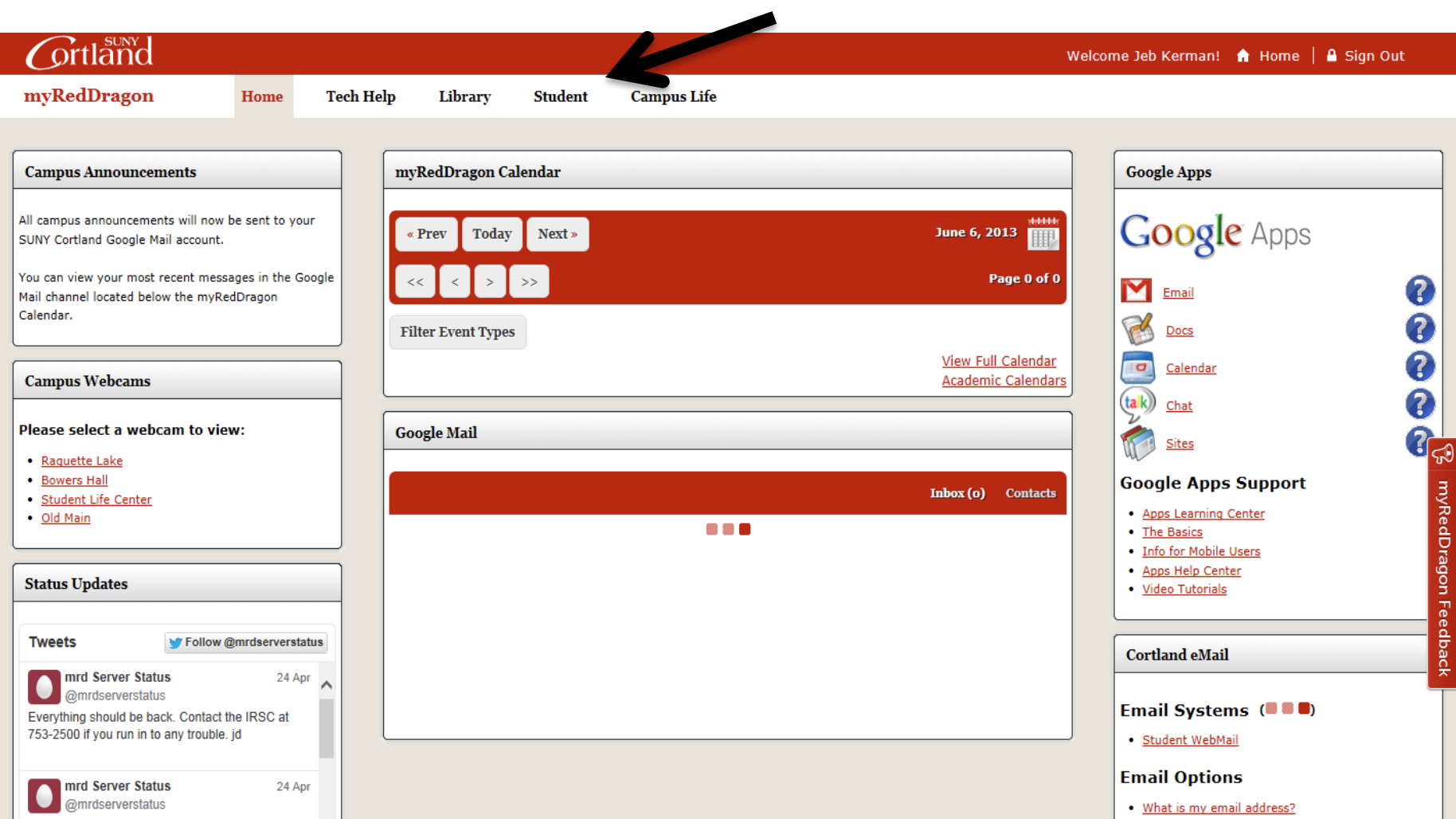
2. Select the Student tab. Your homepage may look slightly different.
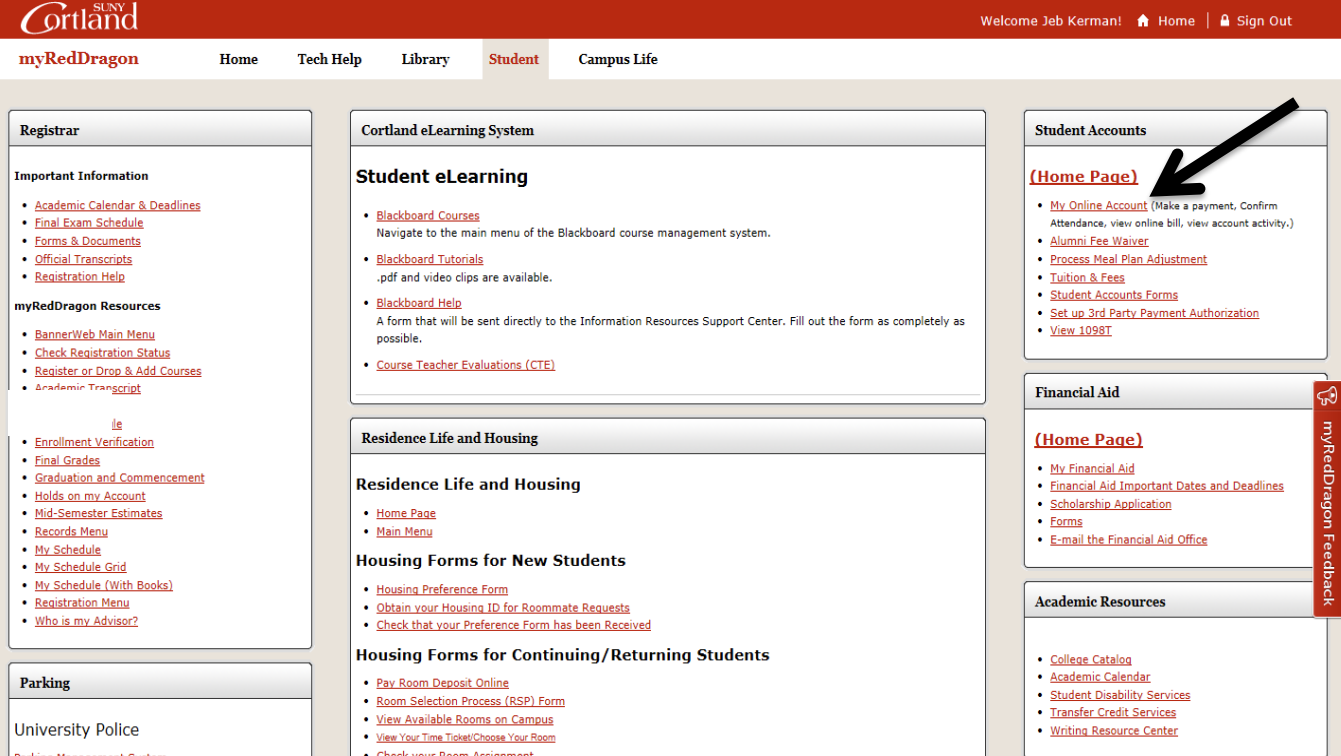
3. Select “My Online Account." Your Student tab may look slightly different.
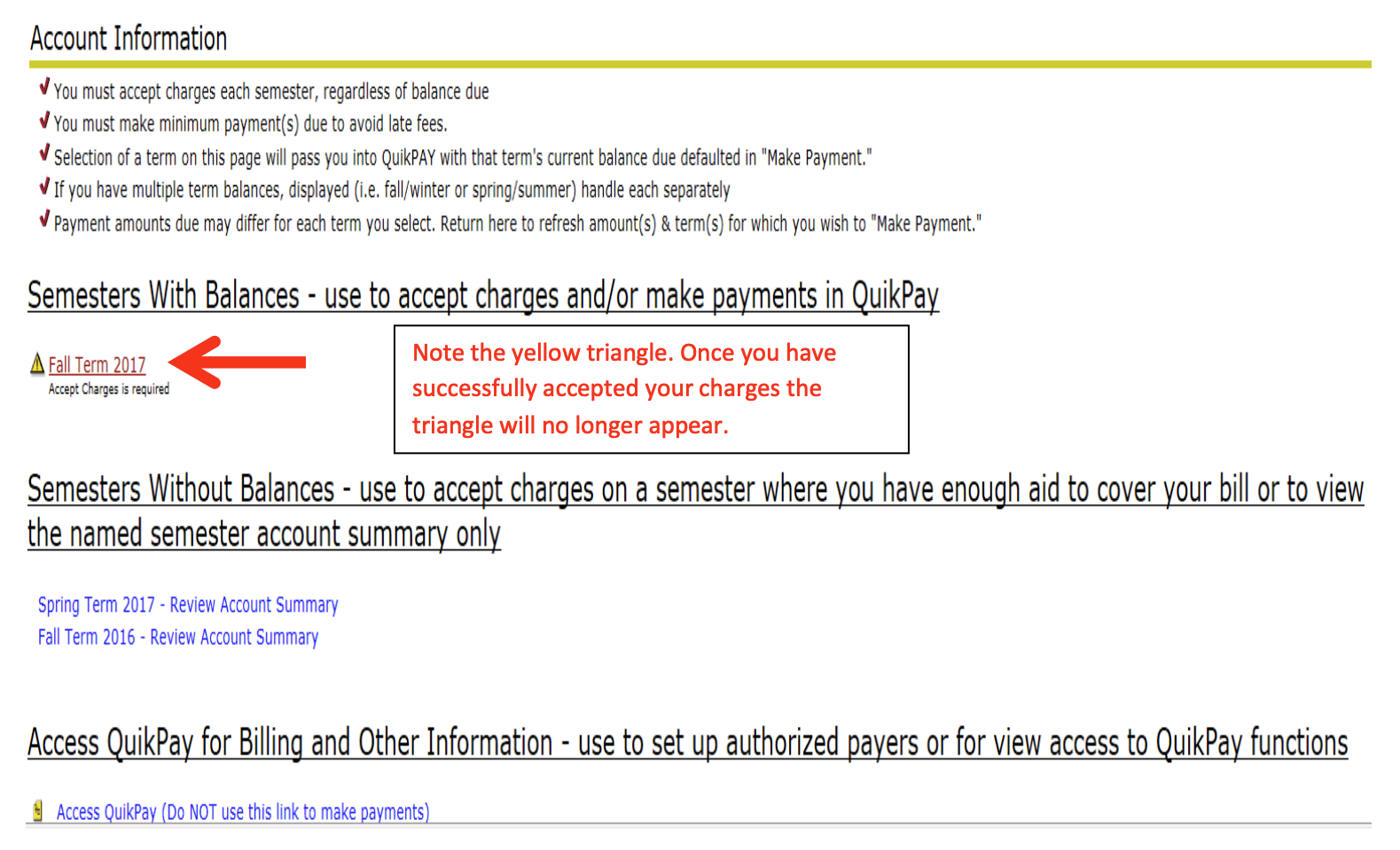
4. Select the relevant term from the list(s):
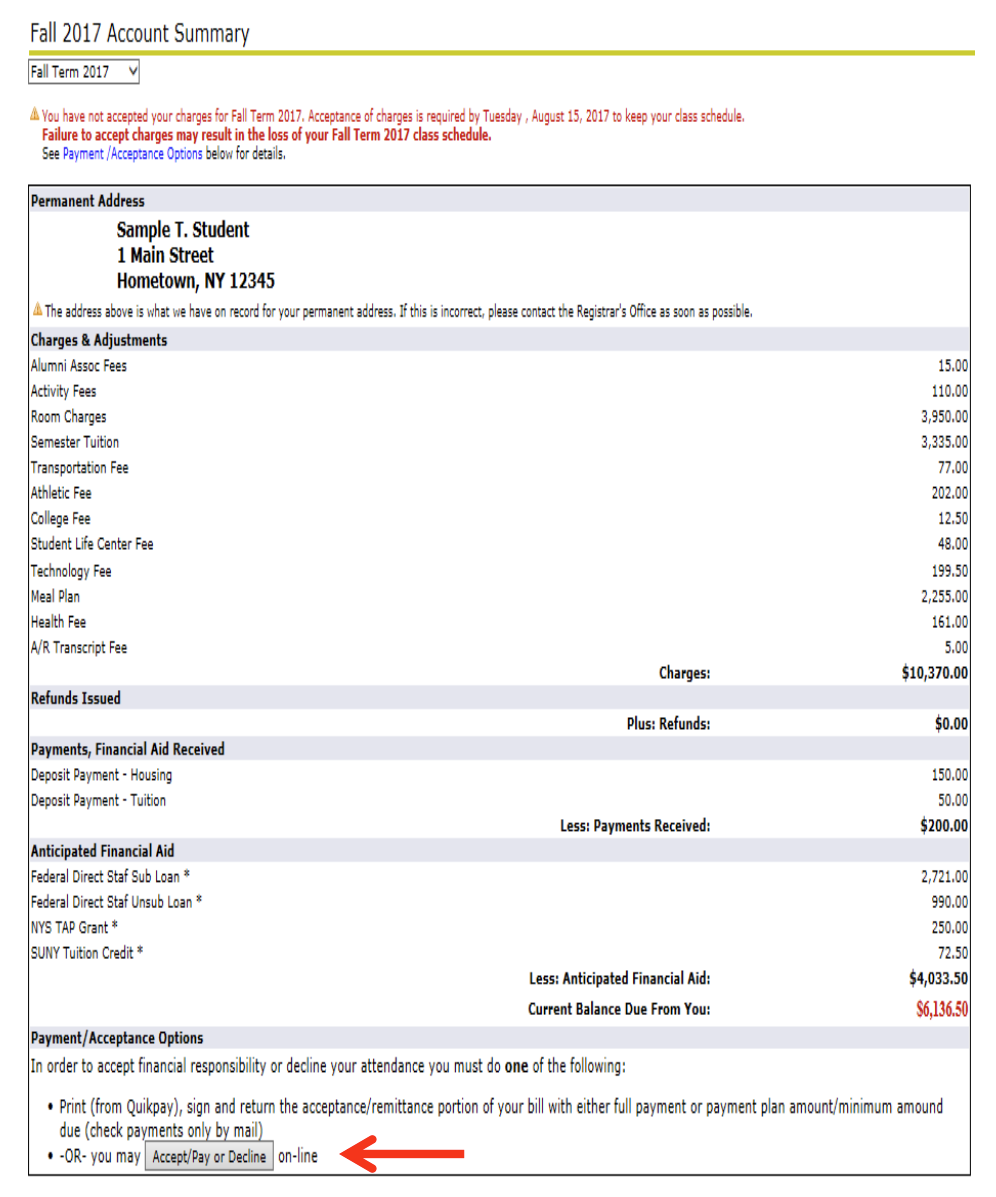
5. Review your account summary and select “Accept/Pay or Decline.” As changes are made to your account throughout the semester they will appear here in real time.
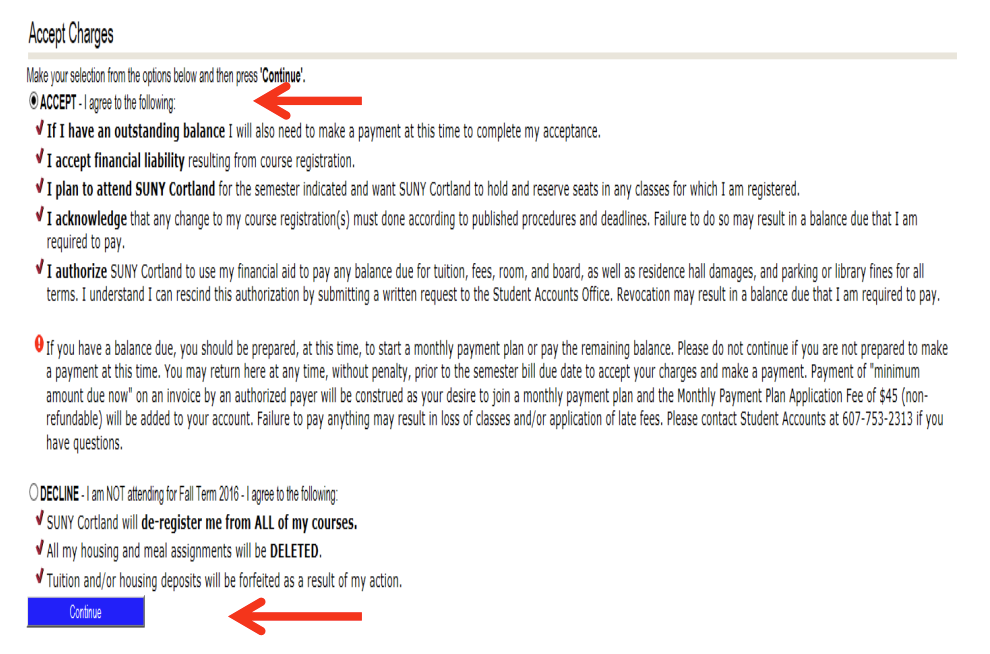
6. Review the verbiage, click “Accept,” then click “Continue:”
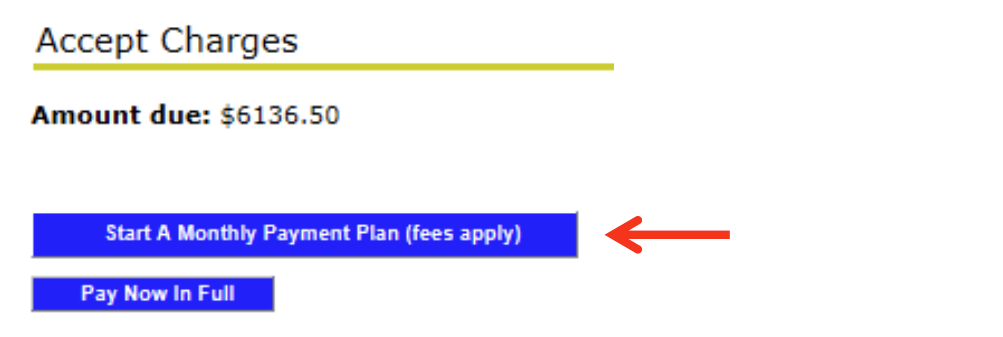
7. Select “Start A Monthly Payment Plan:”
8. Review the terms and conditions of the program, select “I agree to all MPP terms,” and select “Start Monthly Payment Plan.”
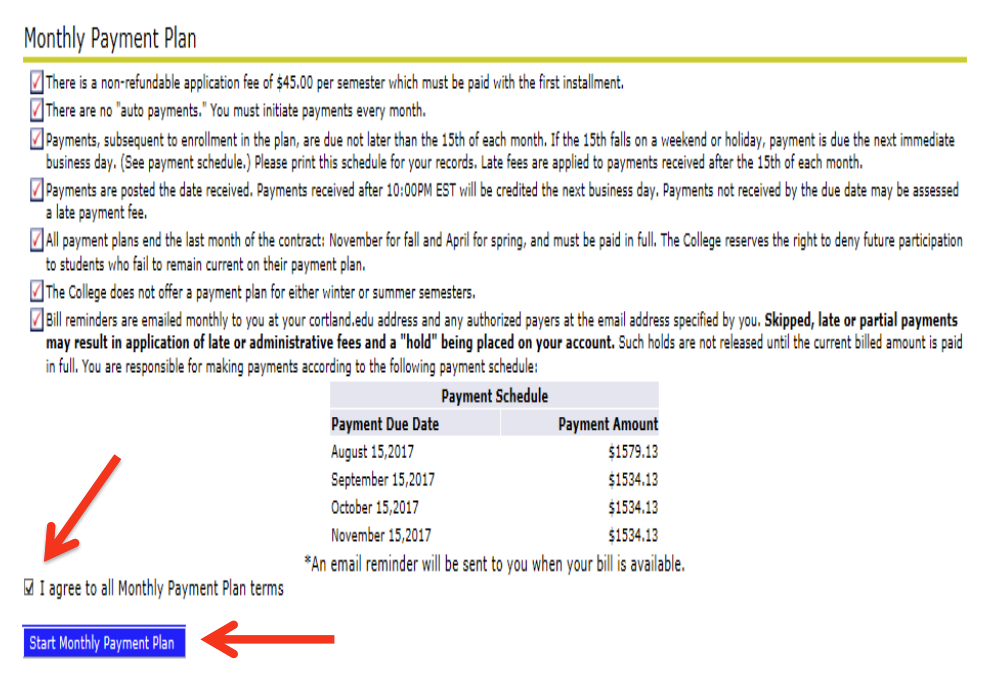
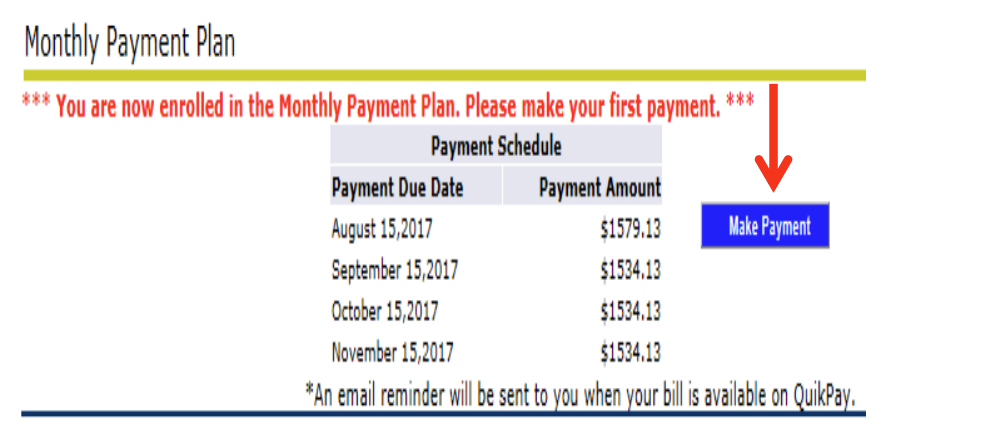
9. Review the payment schedule and print a copy for your records. Select “Make Payment.”
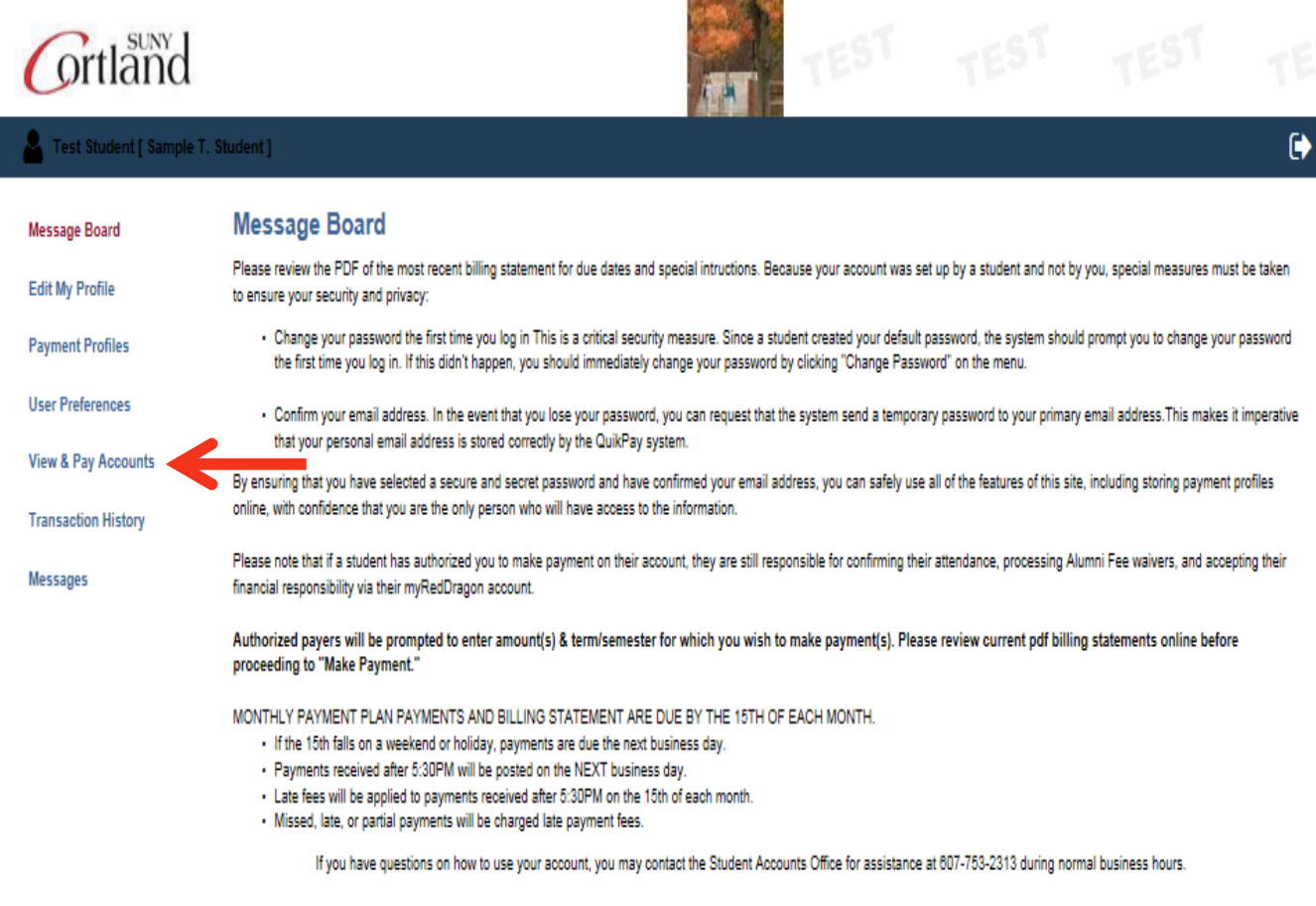
10. You will now be placed in QuikPay. From the menu on the left, select "View & Pay Accounts."
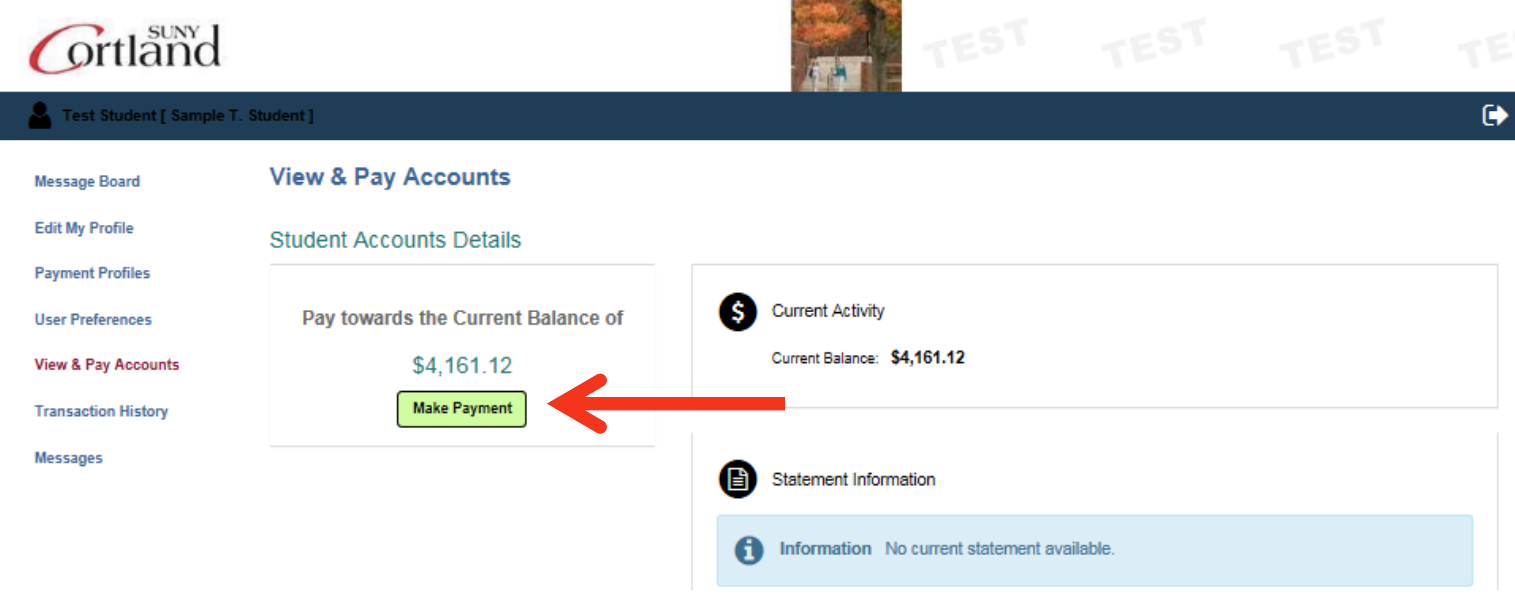
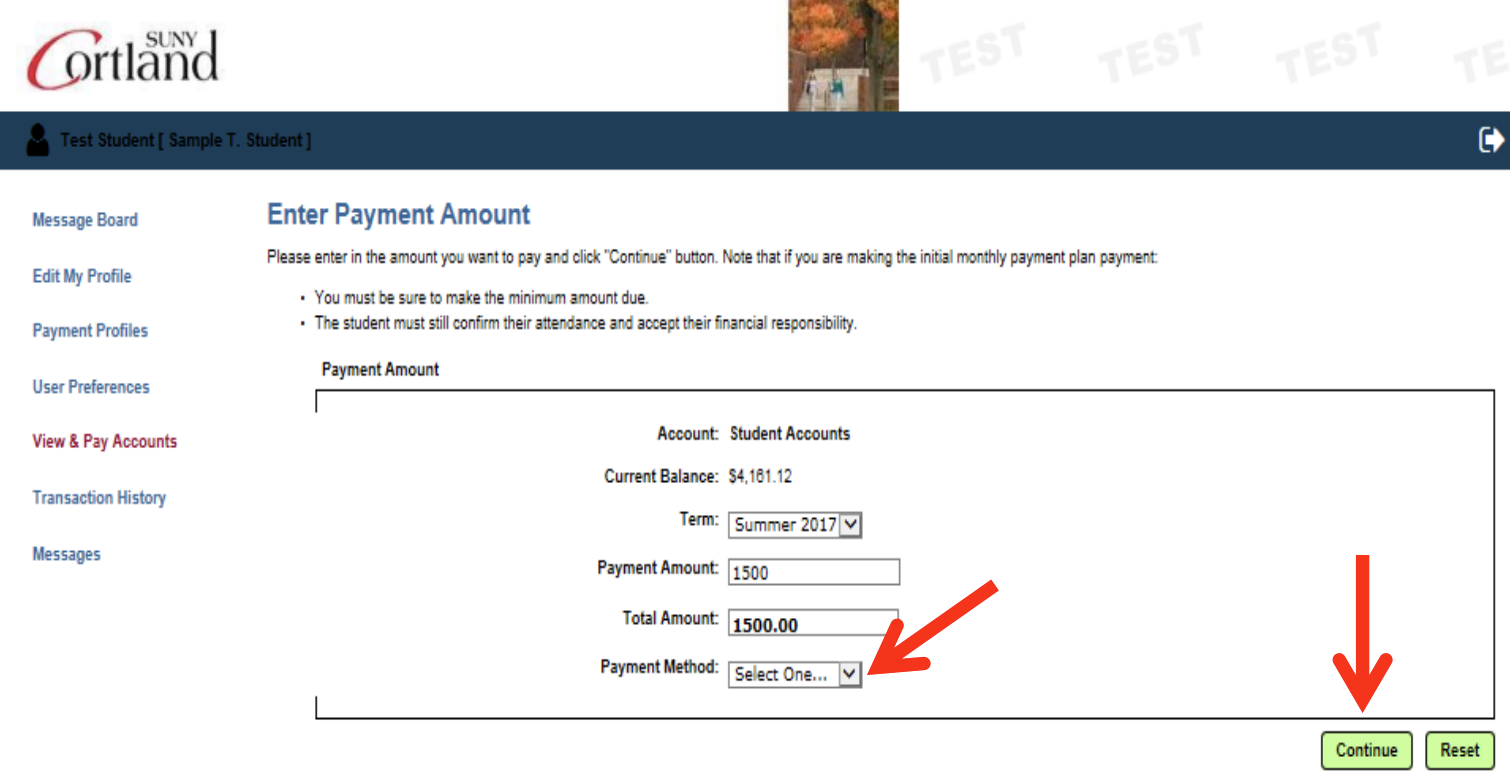
11. Select the "Make a Payment" button, choose your payment method (credit card, e-check or a previously saved profile) and select "Continue"
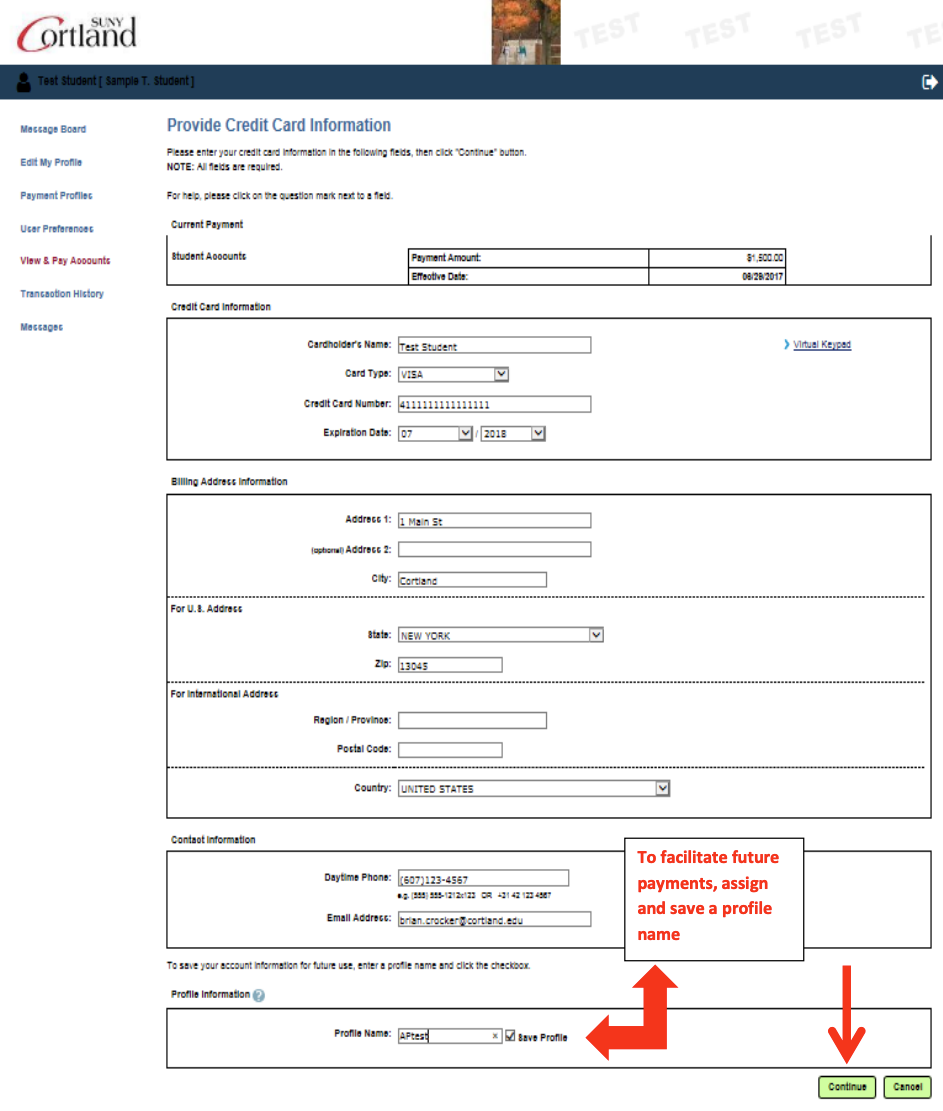
12. Fill in all required data and select “Continue.” To facilitate future payments, assign and save a profile name. This will allow you to pay the bill without re-entering all the required fields again.
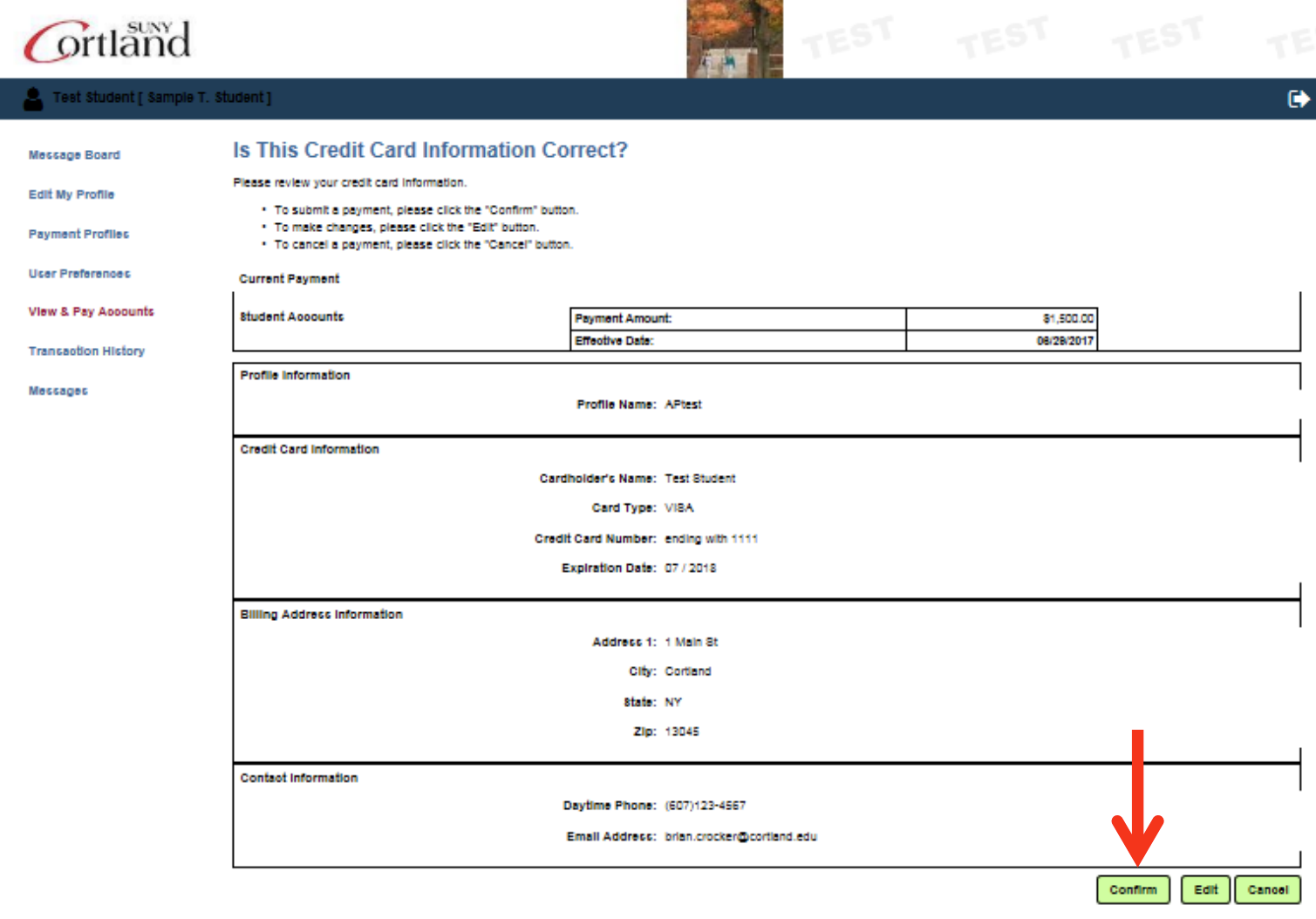
13. Review the information you provided and if it is accurate, select “Confirm.”
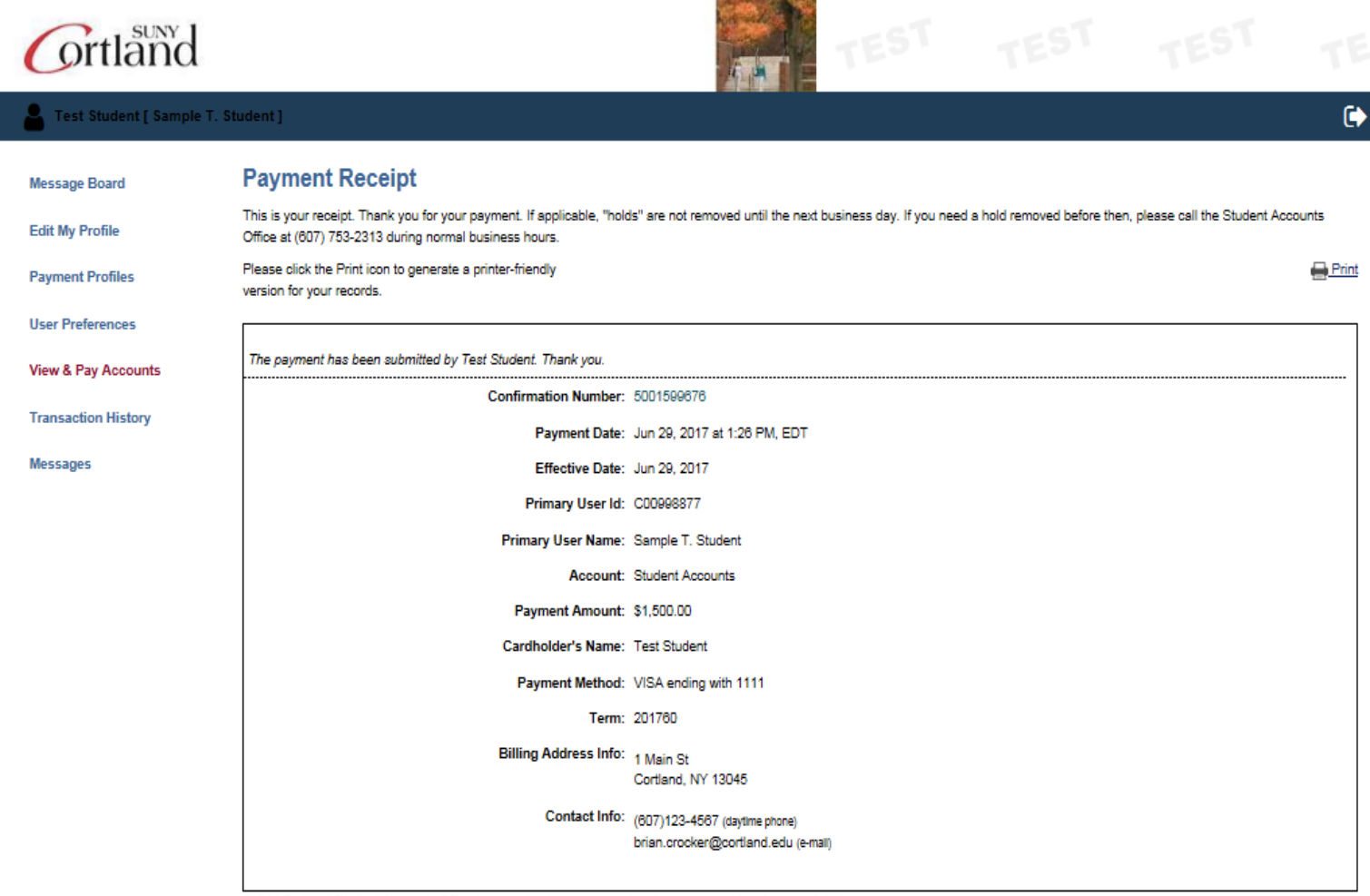
14. You will receive confirmation of your payment and you will also receive an email confirming your payment. We suggest you print a copy for your records.