Protocol Modifications
IRB review and approval is required before implementing any new recruitment procedures (advertisements, flyers, etc); changes to the consent process or forms; research methods, procedures, apparatus, stimuli, measures, locations or any other aspect of an approved research protocol.
Modifications to an already approved protocol do not require a new application. When a modification is required, the lead investigator is instructed to submit a modification request via PACS using the instructions below.
If the change is being made because a new risk was identified, share this information with the IRB at the time the modification request is being made. This information will allow the IRB to ensure that the protocol is still classified appropriately. Furthermore, this new knowledge will assist the IRB in our ongoing efforts to improve our human research protection program, and it may help another investigator at some point in the future.
If the change is minor or the change is being made to an exempt or expedited protocol, the IRB will reply to your request as soon as possible. Please allow at least two weeks for this level of review. If the proposal was initially reviewed by the Full Board, the IRB will likely be required to refer the change to the Full Board for their review and approval. Submit changes as soon as possible, as this process can take up to four weeks. Note that an approved modification will not alter the one-year protocol termination date.
How to Submit a Modification in PACS
- Log into PACS
- Select the IRB tab at the top, then select the Active tab below to find your active IRB submission(s). Select the study that requires a modification.
- On the left side of the screen, under Next Steps, select Create Modification/CR to initiate the modification.
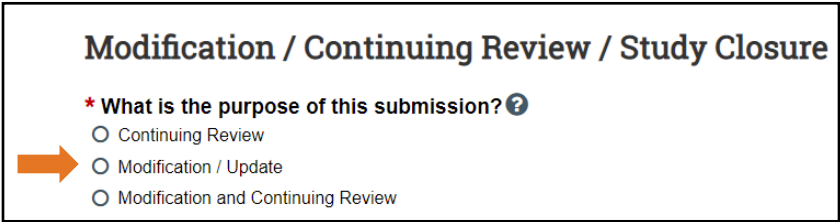
- On the next screen (see below), select Modification / Update.
- Next, indicate the Modification scope by selecting, Study team member information (to add/remove study team members) and/or Other parts of the study (to update study materials).

- Next, complete the Modification Information and make sure to describe the amendments being made under Summarize the modifications. If adding and/or removing study team members, you must list the names of the individuals being added and/or removed in this section.
- Ensure that all relevant study documents are updated and uploaded in the appropriate areas in PACS. For example, the updated Protocol Narrative should be labeled as “Protocol Narrative Modified [Date]”, and then select the + Add option under Attach the protocol to upload the updated document. Please follow the same logic for updating the informed consent, recruitment materials, and other attachments (survey measures, etc.). Do not delete the original/previously approved documents.
- Once all relevant/modified documents are updated/uploaded, and study team members have been added and/or removed in the smart form, select Save and Continue to save and return back to the pre-submission page.
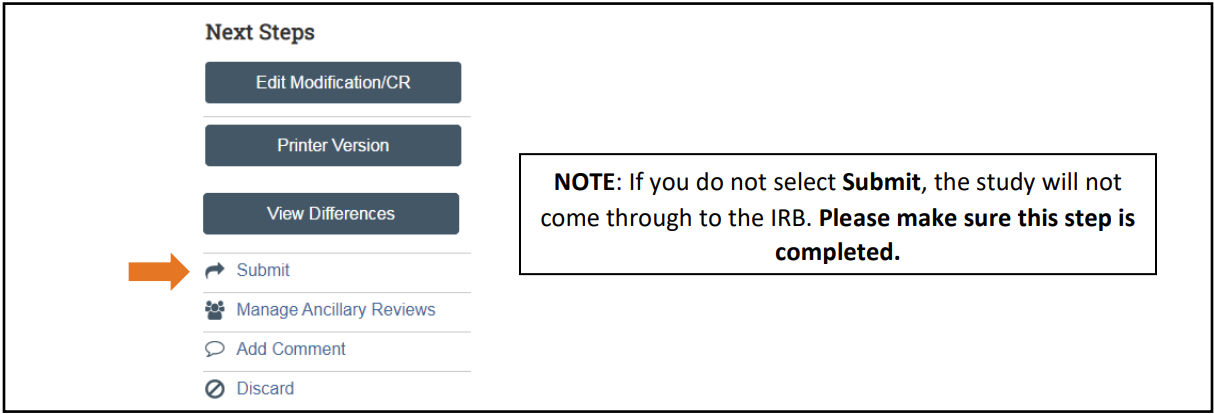
- You will be directed back to the pre-submission page where you will need to select Submit on the left-hand side of the screen in order for your modification to be submitted to the IRB for processing.