Category III: Full Review
There are three levels of IRB review. Of them, full review is the most demanding and potentially time consuming. Therefore, investigators should contact the IRB Chair to ensure that full review is required for their study before beginning an application.
Full review is reserved for activities that do not fit an exempt or expedited category; activities that present greater risk than one might encounter going about one's normal daily life activities (i.e., greater than minimal risk); and/or when the participants to be recruited are at risk, simply by virtue of their status (e.g., prisoners, persons who are cognitively impaired, infants/children, etc). Any feature of a study, presented at any phase of the research (recruitment, participant population, procedures, data storage) can raise the level to full review.
A full board protocol must be submitted at least two weeks before the scheduled meeting.
Full Review Application
- Full Board Review Application
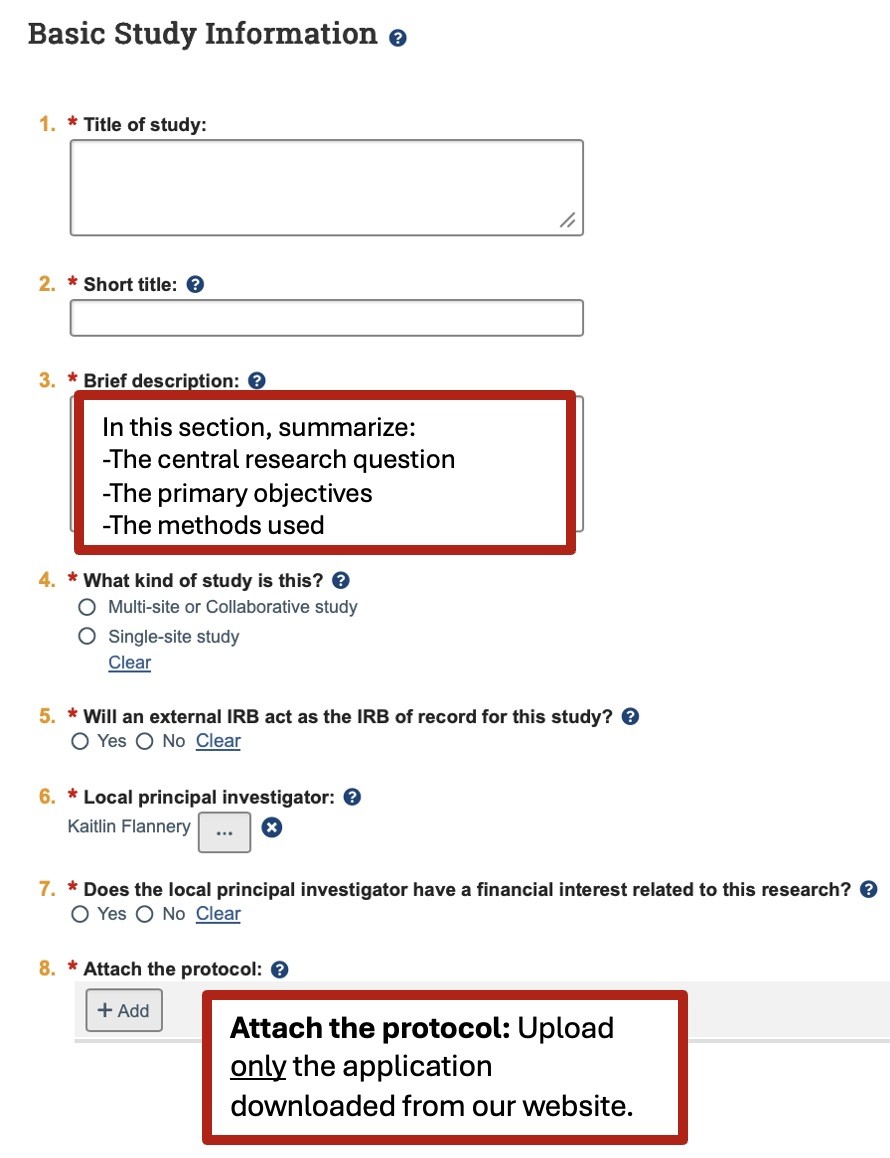
- Attach application in PACS under Basic Study Information part 8
- Appendix A - Investigator Assurance (signature page)
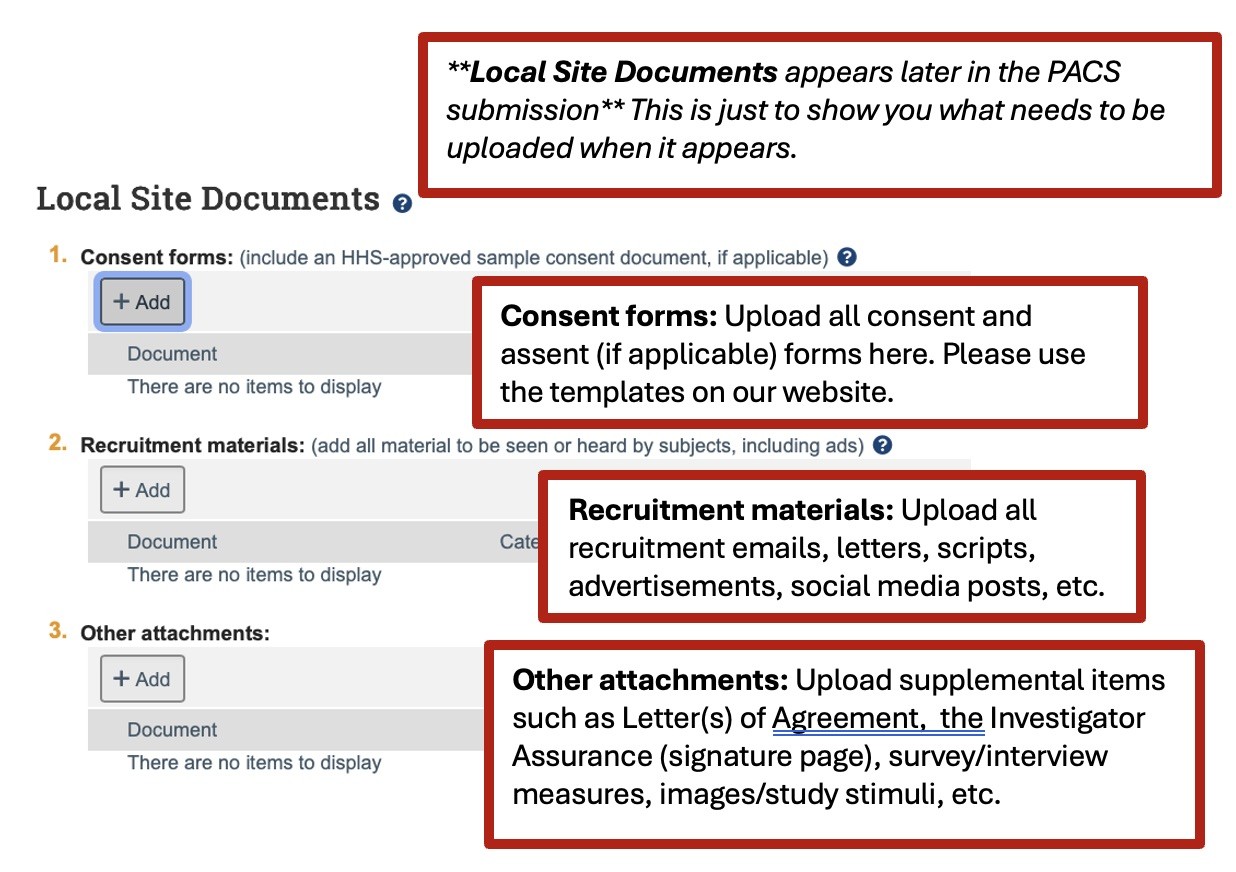
- Attach assurance form in PACS under Local Site Documents
- Appendix B - Co-authors and students (if applicable to research)
- Attach in PACS under Local Site Documents
Creating a New IRB Submission in PACS
Important Note: Prior to beginning this process, it is important to make sure you have already accessed the IRB website to utilize the latest forms and templates for drafting your Protocol Narrative or Existing (Secondary) Data Protocol, Informed Consent and/or Assent forms, as well as any supporting documents, such as the Investigator Assurance Form, Appendix B (if applicable), Letter of Agreement(s), survey/interview/intervention materials, recruitment materials, mental health resources, etc. All applicable documentation must be completed and uploaded in your PACS submission. Additionally, please make sure you, your Faculty Advisor (if applicable), and all members of your study team are registered in PACS and have completed the required CITI Program training.
- Log into PACS
- Select the IRB tab at the top, then select the Create New Study tab below on the left side of the screen.
- Complete the PACS smart form, answering all questions and uploading documents in the appropriate locations. Select +Add to upload documents. Please only upload the completed Application under #8 Attach the protocol section of the smart form. Supplemental documents such as the consent forms, etc. will be uploaded under Local Site Documents. See below for details regarding where to load study documents.
- Add all study team members under Local Study Team Members and select their corresponding role in the research study. For student researchers, please make sure you add your Faculty Advisor here as well. (you will not be able to add team members unless they have registered with PACS)
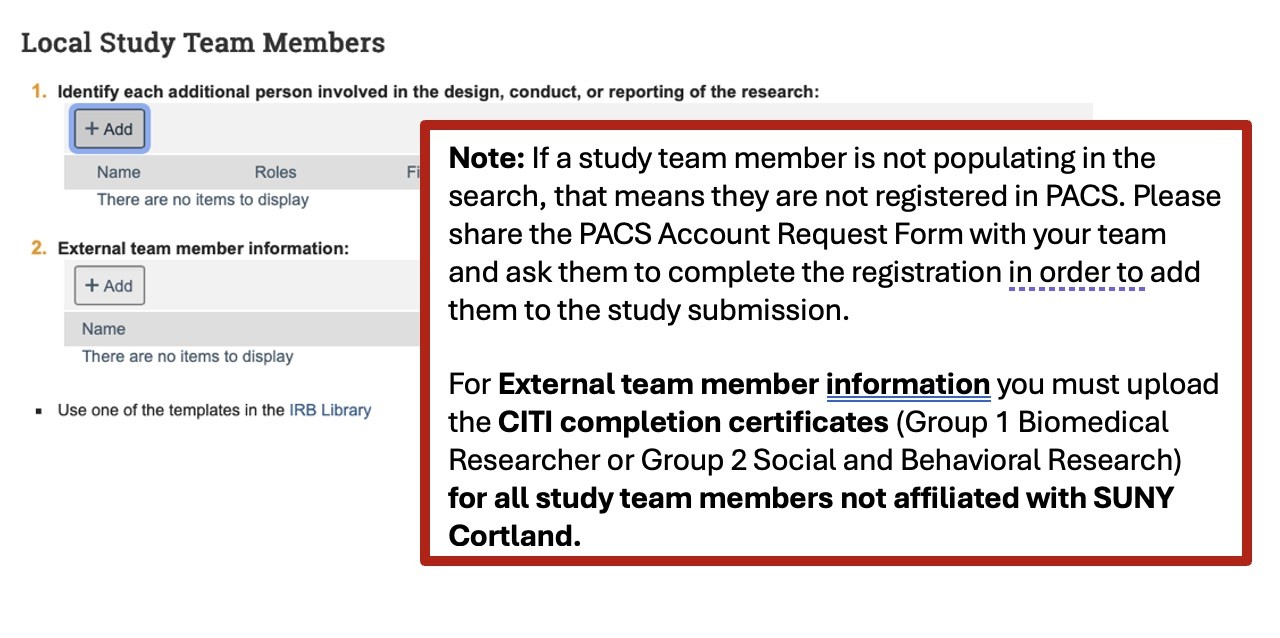
- The CITI training section in the PACS smart form is informational and does not always populate the CITI training for internal study team members. The IRB will verify training for all team members, but this should be completed before submission. Please do not upload CITI certifications for internal team members.
- Note that on the 5th PACS page it asks for local research locations. You can leave this information blank
- Once all relevant documents are uploaded, study team members have been added, and the smart form completely filled out, select Finish to save and return back to the pre-submission page.
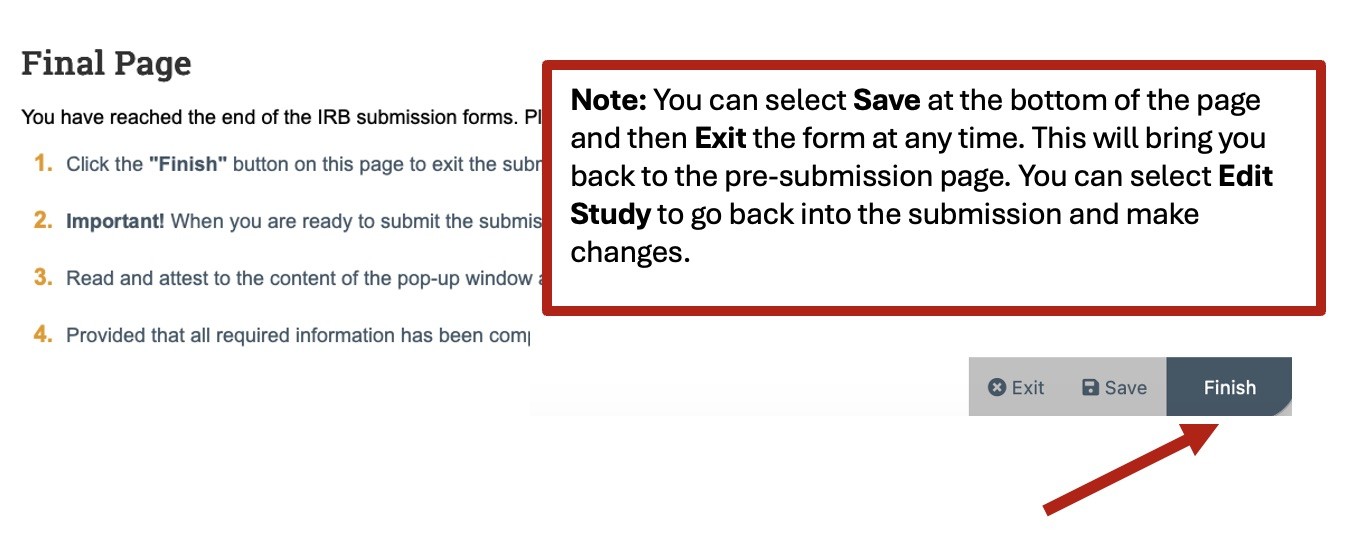
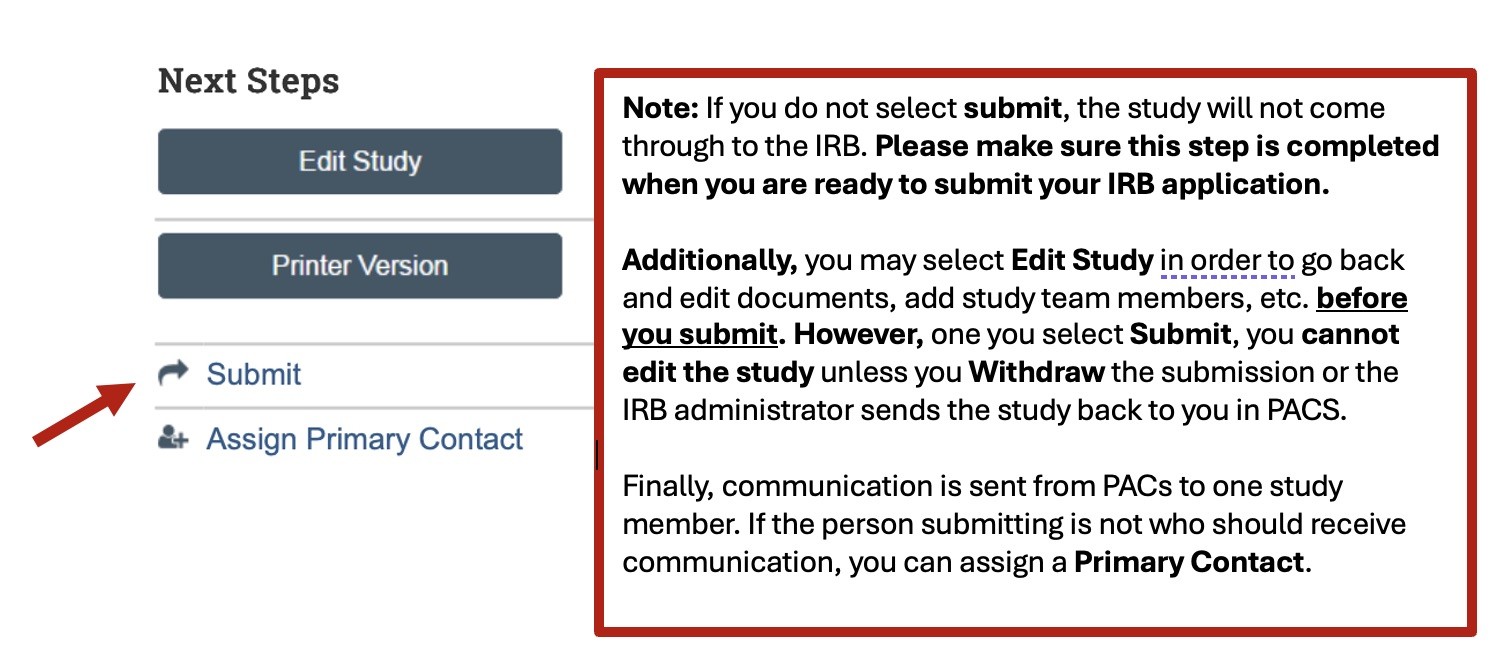
- You will be directed back to the pre-submission page where you will need to select Submit on the left side of the screen in order for your study to be submitted to the IRB for processing.