Request for Continuation of Approved Research
- Log into PACS
- Select the IRB tab at the top, then select the Active tab below to find your active IRB submission(s). Select the study that requires Continuing Review (CR).
NOTE: Before submitting your CR in PACS, please review your study materials and study team members to determine if a CR and Modification are necessary for submission. This may include updating your Informed Consent, Protocol Narrative, or adding or removing study team members. If so, the CR and Modification can and should be submitted at the same time. - On the left side of the screen, under Next Steps, select Create Modification/CR to initiate the CR.
- On the next screen (see below), select Continuing Review or Modification and Continuing Review.

- Next, go through and complete the smart form by filling in how many participants were enrolled, the research milestones, and indicate if there have been any unanticipated events/problems/complaints/withdrawals. If there were no issues of this nature, all items should be checked appropriately under section #4 in the smart form. If there were issues outlined in the checklist, please contact the IRB Office before completing this form.
NOTE: If the first 4 boxes are selected under #2 Research Milestones, the study is eligible/will be submitted for closure. - If you are submitting a modification as part of this CR, briefly describe what will be modified under Summarize Modifications. This should include the names of individuals being added and/or removed from the study team, as well as a brief summary about any changes to study procedures, materials, etc. Please then update the study team
and documents in the smart form. For more information regarding modifications, please contact the IRB office. - Once you reach the final page, select Save and Continue to save the information entered into the smart form.
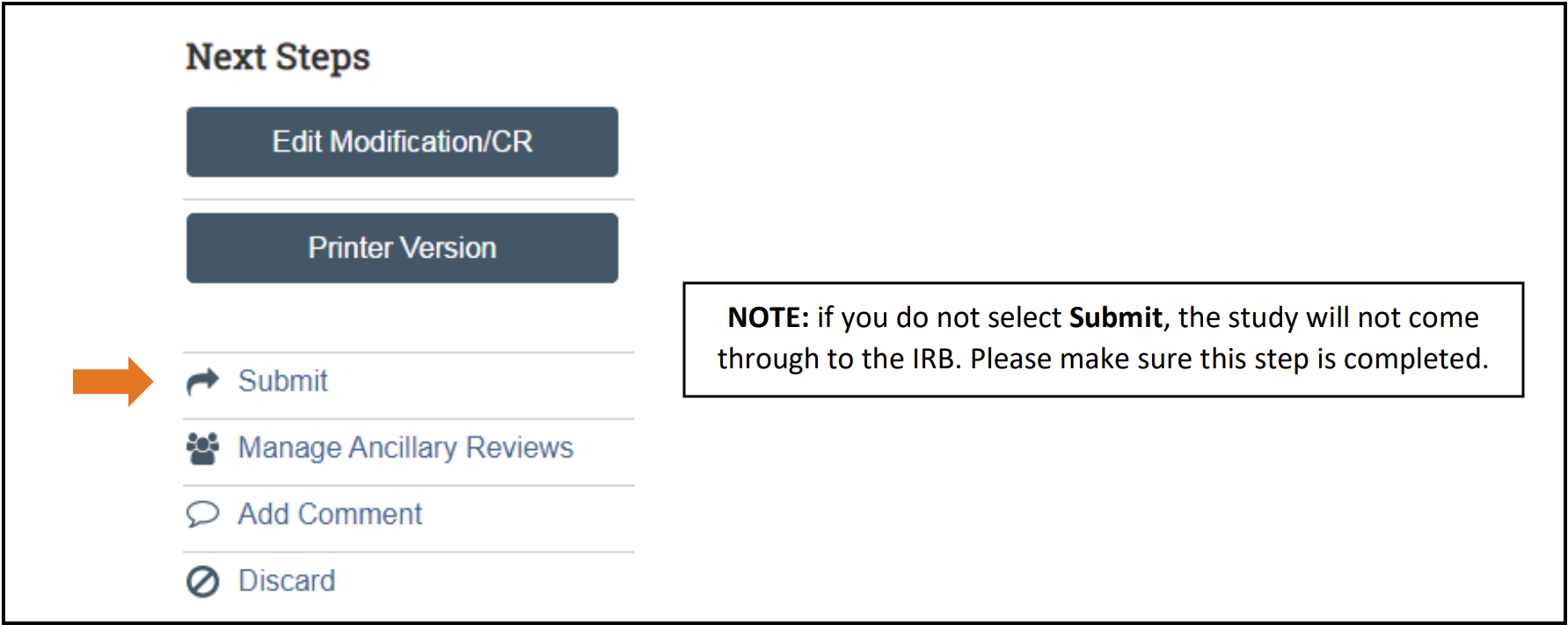
- You will be directed back to the pre-submission page where you will need to select Submit on the left-hand side of the screen in order for your CR to be submitted to the IRB for processing.